
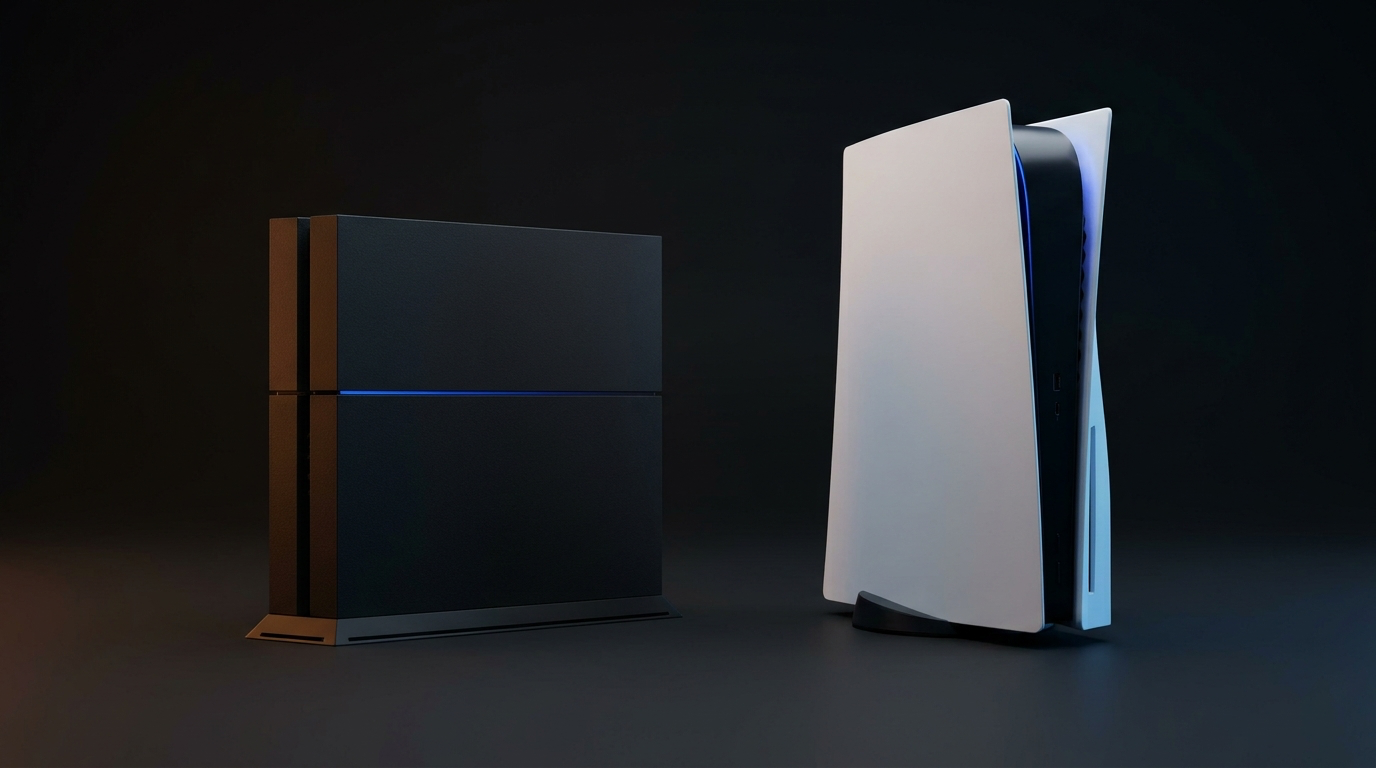
If you are planning to load PlayStation 4 or PlayStation 5 games via affordable per-GB data transfer — or want to check whether your own console can be modded — this guide explains everything clearly without unnecessary jargon.
1. What Is PS4 & PS5 Modding / Jailbreaking?
Modern PlayStation 4 and PlayStation 5 modding is completely software-based (semi-tethered). That means no opening the console, no soldering chips, and zero hardware modifications.
- The jailbreak remains active as long as the console stays powered on or in Rest Mode.
- After a full power-off or restart, you simply re-trigger the payload in seconds (via browser, Ethernet script, or BD-JB disc depending on your firmware), and all your installed games stay intact.
- It unlocks offline game backups, full DLC packs, community Arabic localization patches, 60fps unlock patches, and homebrew utilities.
2. Step 1: How to Check Your System Software (Firmware) Version
The single most important factor determining jailbreak compatibility is your console's System Software (Firmware) version:
- On PS4: Go to Settings → System → System Information and check the number next to System Software.
- On PS5: Go to Settings → System → System Software → Console Information.
Sony patches jailbreak vulnerabilities in every official update, and PlayStation firmware cannot be downgraded via software. If your console is on a lower or supported version, disconnect it from the internet immediately.
3. PS4 Modding & Jailbreak (GoldHEN)
The PlayStation 4 modding ecosystem is mature, reliable, and supports a massive library of games, DLCs, and Arabic-localized releases:
Supported Firmwares & Entry Points
- Classic Sweet-Spot Firmwares (5.05 / 6.72 / 9.00): Fast activation through the console browser (WebKit), with a simple USB trigger step on 9.00.
- Firmware 11.00: Triggered via the PPPwn Ethernet exploit using a PC, laptop, Raspberry Pi, or Luckfox dongle for a few seconds at boot.
- Newer Firmwares up to 14.00: Supported via updated browser/DNS WebKit exploits and disc/Lua entry methods alongside modern GoldHEN builds.
- Firmware 14.02 and Newer: Patched by Sony — there is currently no public software jailbreak available for 14.02+.
What GoldHEN Does
GoldHEN is the standard homebrew enabler for modded PS4 consoles, giving you:
- Full installation and launching of .pkg (FPKG) games, updates, DLCs, and Arabic translation patches.
- A built-in System Update Blocker to protect against accidental firmware updates.
- USB and FTP game installation, Rest Mode persistence, and cheat/60fps patch menus.
Storage & Hard Drive Tips for PS4
You will need internal console space or a fast USB 3.0 external drive. To copy raw .pkg installers onto an external drive for installation, format the drive as exFAT; once installed, you can store games internally or move them to Extended Storage.
4. PS5 Modding & Jailbreak (etaHEN, Kstuff & Itemzflow)
PlayStation 5 homebrew has progressed rapidly and supports both native PS5 backups and PS4 FPKG libraries on vulnerable firmwares:
Supported Firmware Ranges
- Up to Firmware 10.01 (Sweet Spot): Mature, highly stable support for etaHEN and full Kstuff kernel patches, running PS5 dumps, PS4 FPKGs, and Itemzflow smoothly.
- Firmwares 10.20–12.70 & 13.00–13.60: Supported through newer exploit chains including WebKit, Lua / LuaCore, BD-JB, and Relapse paired with updated
etaHENandkstuff-litebuilds. - Firmware 14.00 and Newer (e.g. 14.22 / 14.23): Patched by Sony — consoles on 14.00+ cannot currently be jailbroken.
Disc Edition vs. Digital Edition
A PS5 with a Blu-ray Disc Drive has an extra advantage across many firmware versions because it can use BD-JB (Blu-ray Disc Java) entry discs in addition to WebKit or Lua-based entry points.
How Modded PS5 Games Run
PS5 backups are typically stored as extracted exFAT game dumps / ffpfsc packages and launched via Itemzflow Game Manager from a fast USB 3.0/3.2 external SSD/HDD or an internal M.2 NVMe SSD — alongside backwards-compatible PS4 FPKG games.
5. Essential Safety Rules & Important Store Notice
Important Notice for PS4 & PS5 Game Data Customers:
- Stay Offline from PSN: Jailbroken consoles are for offline play only. Connecting to PlayStation Network risks forced system updates or account/console bans.
- Block Automatic Updates: Disable Automatic Downloads in console settings, apply update-blocking DNS settings, and keep the GoldHEN / etaHEN update blocker enabled.
- Store Responsibility Disclaimer: All PS4 and PS5 games at AbaPro Games run ONLY on modded / jailbroken PlayStation devices. If your console is not modded or cannot be jailbroken, these games will not work and the store is not responsible.
6. Browse PS4, PS5 Games & Hard Drives at AbaPro Games
Once you confirm your PlayStation is modded or eligible for jailbreaking, explore our ready-to-transfer catalog:
- PS4 Modded Games Catalog: 100+ curated titles — heavily featuring Arabic-localized editions & DLCs at 0.75 EGP/GB.
- PS5 Modded Games Catalog: Latest PS5 releases ready for Itemzflow on exFAT drives at 0.85 EGP/GB.
- External & Internal Hard Drives: Warranty-backed USB 3.0 drives and SSDs ready for your game library.
- Unsure about your firmware version? Contact us or visit the AbaPro Games store before placing your order and we will gladly help you check.